








| PRODEMAND FIX ON CHROME If ProDemand won't open on Chrome follow these directions to fix: CLOSE the PRODEMAND page that you are trying to open first 1. On Chrome in the upper right corner of the browser click on the 3 vertical dots - then on the drop down choose SETTINGS 2. On the left side of the screen click on Privacy and Security (red arrow) 3. Then click on Clear Browsing Data (blue arrow) (scroll down past picture to continue) 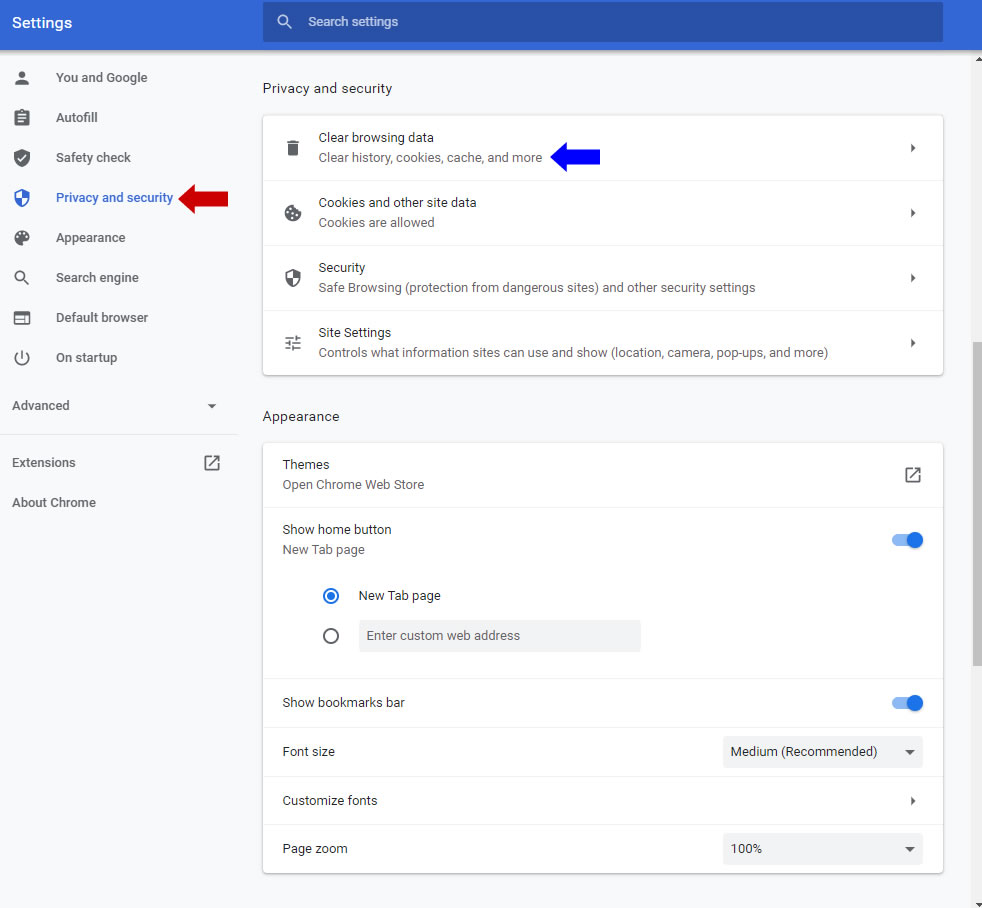 4. Click on Advanced tab (green arrow) 5. Change Time Range to ALL TIME (gray arrow) 6. Checkmark everything EXCEPT Passwords and Autofill Form Data 7. Finally click blue Clear Data button (black arrow) This can take several minutes to clear everything out - ProDemand should open after that 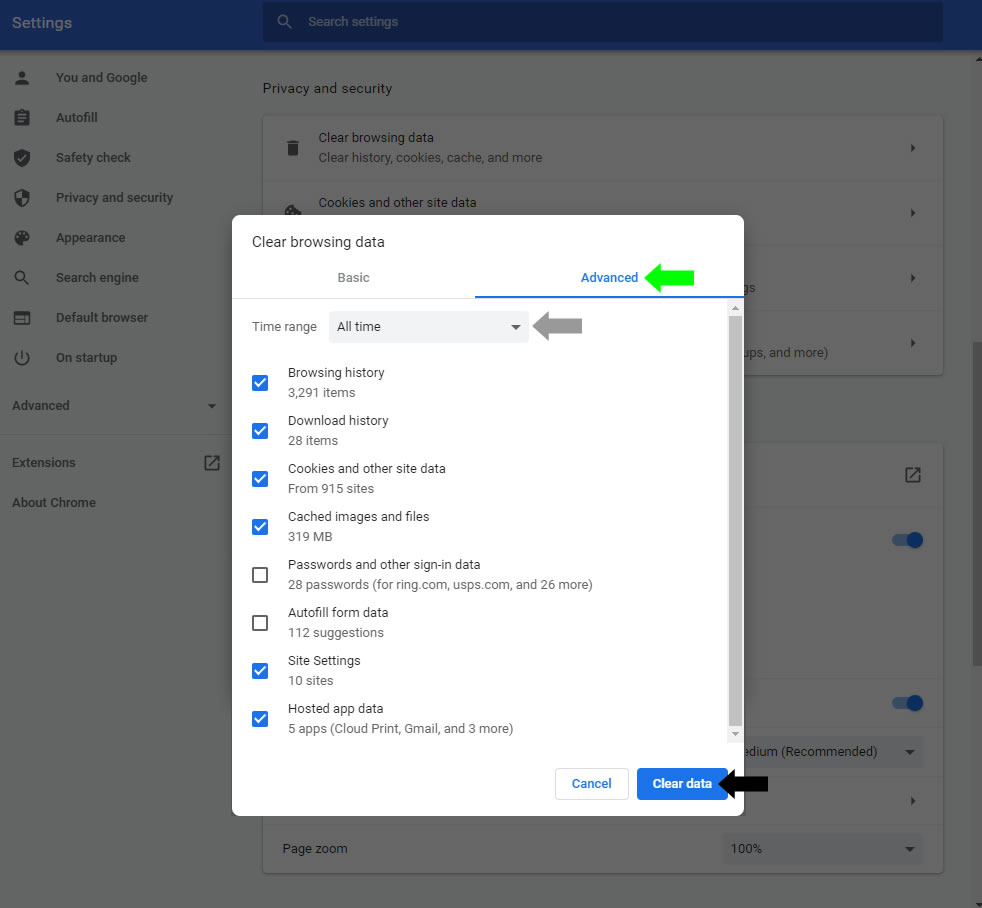 |
